
FINGERTRANS
Automatic transcription, subtitling, translation, and segmentation platform
FingerTrans is a user-friendly and fully cloud-based web platform designed for the comprehensive management, cataloging, and sharing of digital video, audio, and document content, as well as their associated files. It allows you to create and catalog assets from files ingested manually via a user interface or automatically through API or FTP. For each asset, FingerTrans can automatically request transcription, subtitling, translation, and segmentation tasks from third-party AI-based engines. This improves the accessibility of your programs and ensures they are optimally cataloged.
Key Stakeholders
FingerTrans is designed to empower various teams within a broadcasting or media organization:
- Data and Content Departments: They can use the Asset Management Interface to create new assets from multimedia files and access or edit automatically generated files, such as transcriptions, subtitles, translations, and segments. Editing is optimized through dedicated tools like the integrated Web ST Editor for subtitles and a specific editor for transcriptions and translations.
- IT and Maintenance Departments: They can use the Administration Interface to manage users and profiles, configure system settings and engines, and manage system incidents by reviewing logs and monitoring the status of processing engines.
Asset Management
Asset Management allows for the management and cataloging of system content using Assets. An Asset corresponds to a video (television) or audio (radio) program and contains all automatically or manually generated content. The interface has four sections, as shown in the figure:
-
- Audio: Where assets corresponding to audio files, uploaded manually or automatically, are located.
- Video: Where assets corresponding to video files, uploaded manually or automatically, are located.
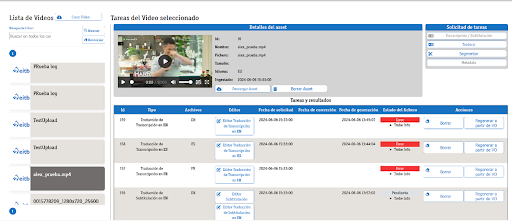
We have an asset list that allows us to open a specific asset. We can view the metadata of the selected asset, as well as request transcriptions and subtitlings. These requests can be viewed in a list, where we can check their status, delete them, or regenerate them if they were not processed correctly.
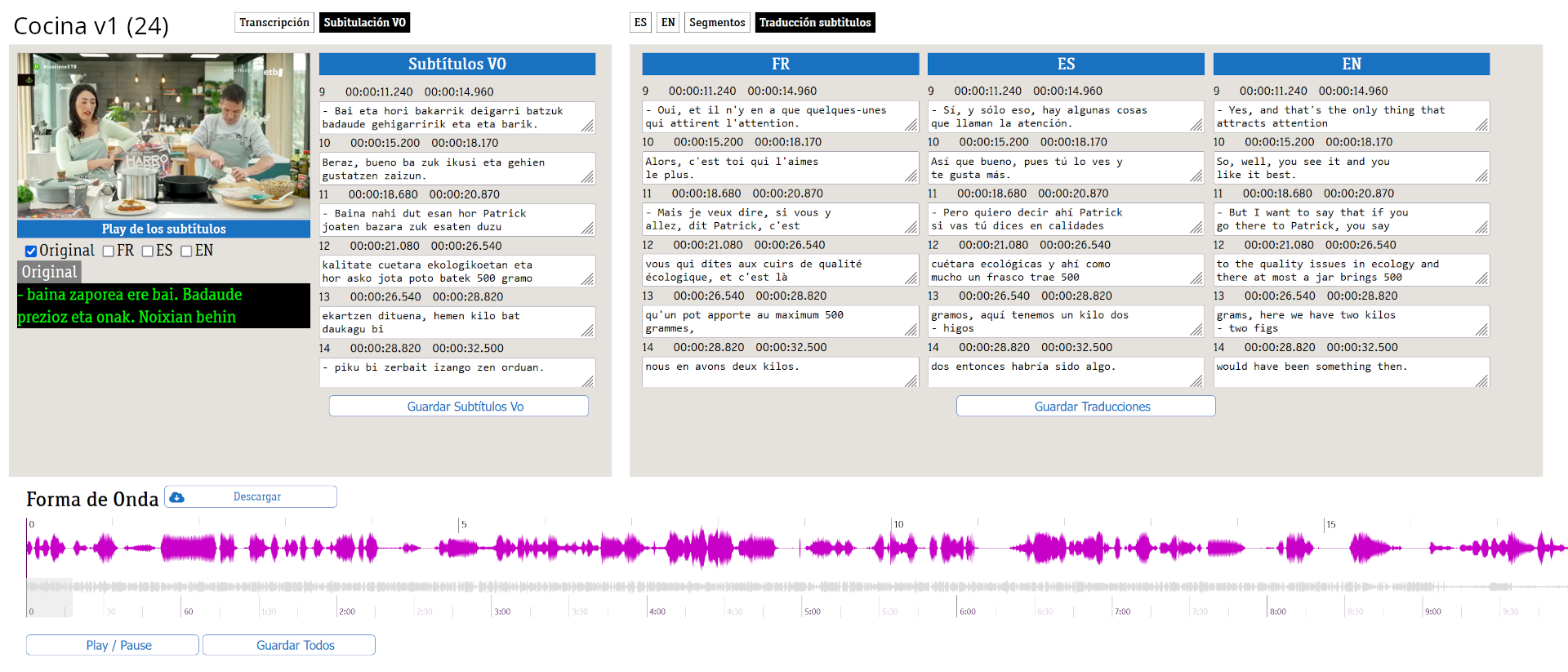
Transcription Viewing / Editing
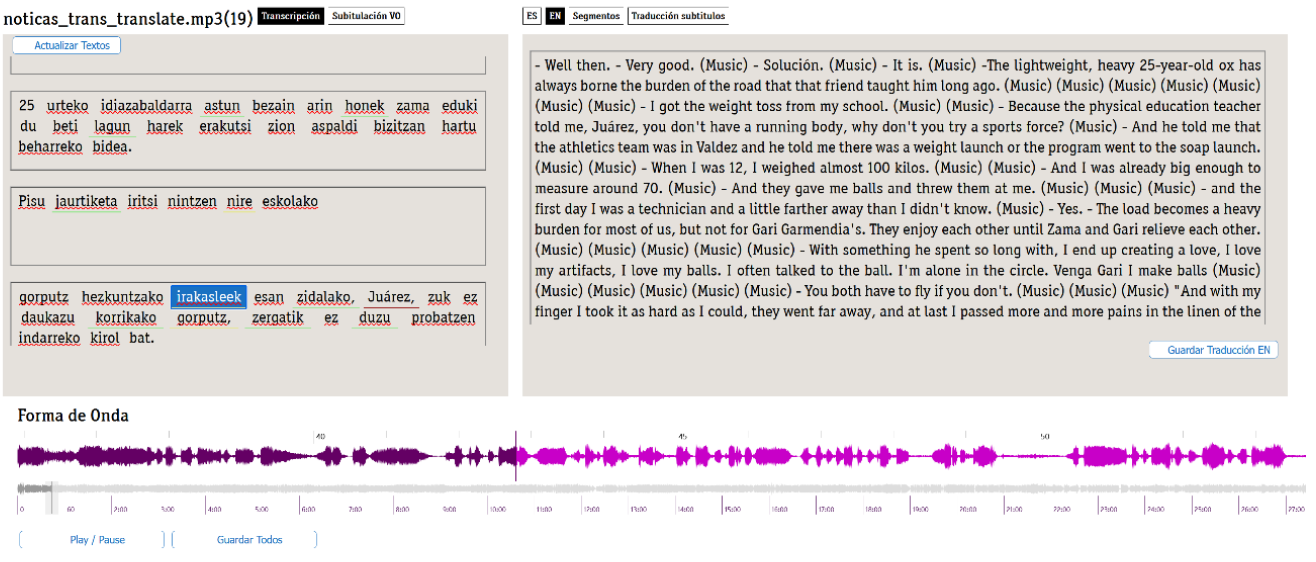
System-generated transcriptions can be viewed and edited from the transcription editor.
• View and edit metadata.
• View and edit the original transcription. The player features a waveform to visualize and locate the start of the speakers' sentences.
Task Management
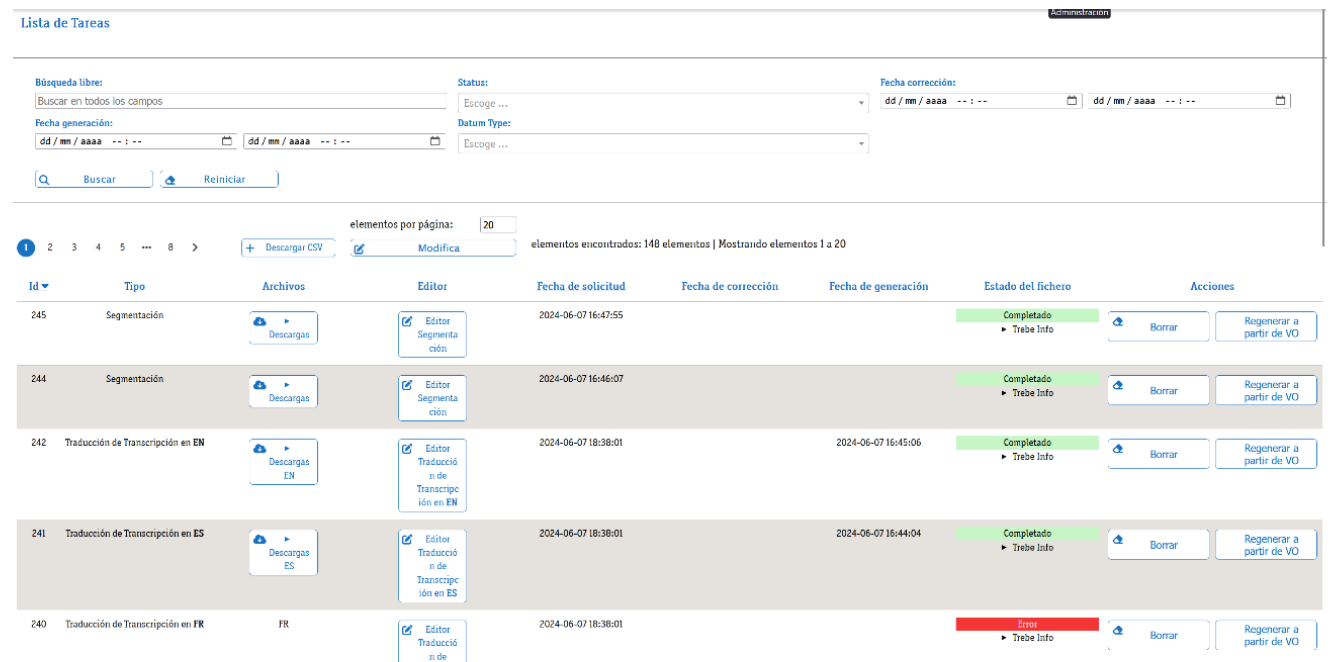
We have a list of all tasks requested by users and the client's automated systems. We can consult the details of each task, the incidents generated, and the actions to be taken on them. We have an overall view of the status of all tasks, regardless of the asset type (video or audio), and we can filter by different metadata.
Administration
The Administration interface allows system administrators and broadcaster technicians to administer and manage FingerTrans user permissions. It enables platform configuration and log consultation to detect the origin of any incidents that may occur during content generation on the platform. It also allows the IT or maintenance department to configure the different user profiles or resolve incidents on the platform, with access to environment variables, logs, and engine workflows.
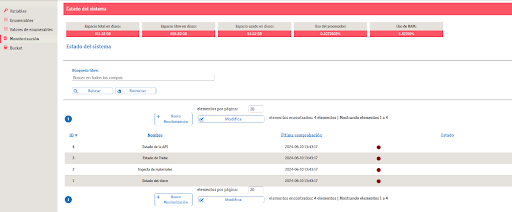
In the administration environment, we can manage users and their respective profiles, limiting permissions based on their profile. The different engines and services can also be managed. This environment allows us to configure the platform, check system status, or consult logs of all platform activity.
Online Editor
Cloud-based editor to create, edit, and verify accessibility subtitling files such as SDH (Subtitles for the Deaf and Hard of hearing), open captions, and spoken subtitles, featuring a user-friendly and graphical interface with a synchronized audio waveform and timeline, highly customized according to user preferences.. This module is fully integrated into ACM.
Key Features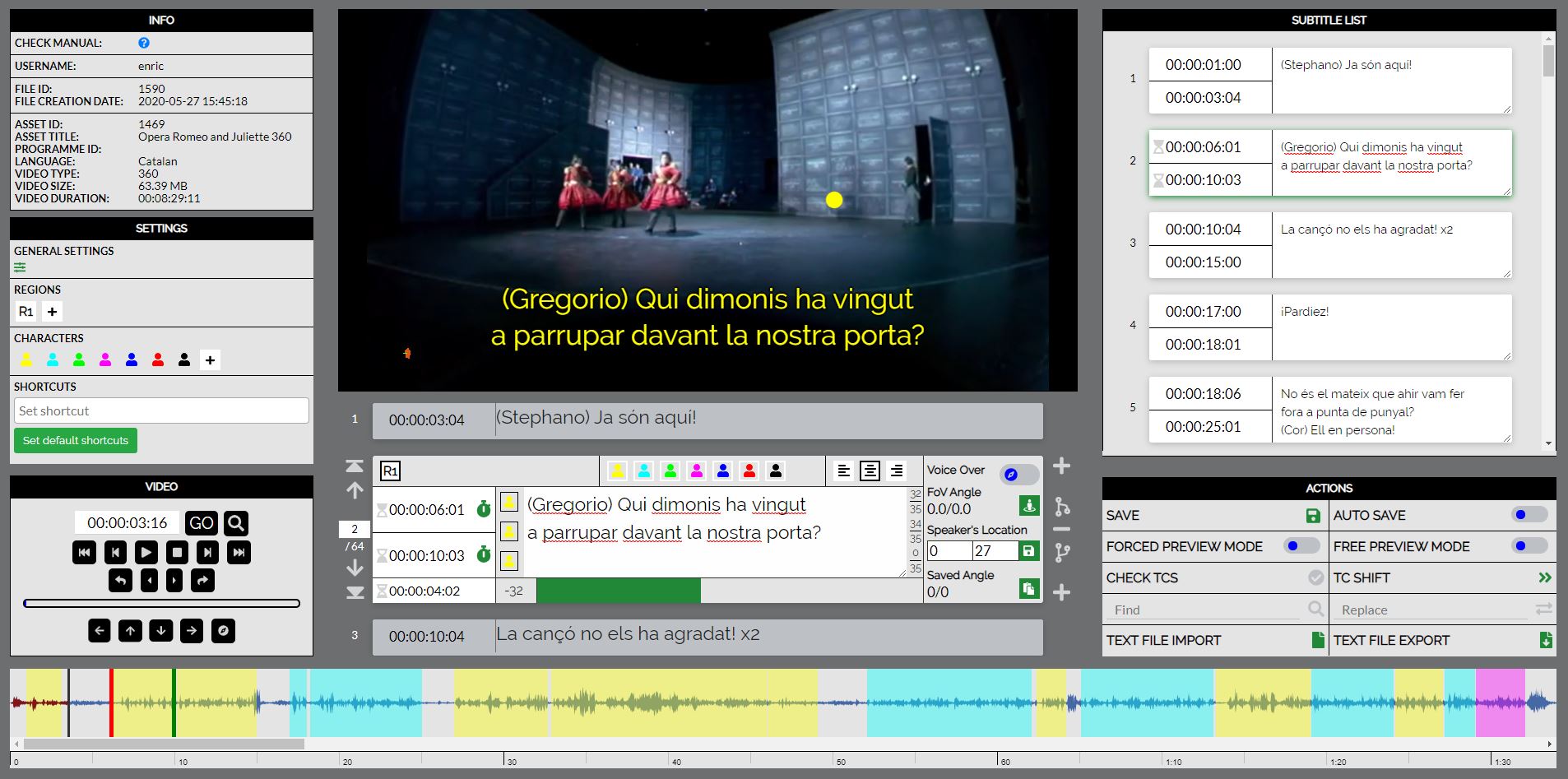
- Multi-language interface
- Hotkeys with user-configurable shortcuts to perform the most common operations within the editor.Tecles ràpides amb dreceres configurables per l'usuari per fer les operacions més comunes dins l'editor.
- User and file settings (layout, preferences, languages, character settings, region settings, minimum values, default values, etc.). Profile configurations can be created for different types of programs, such as movies, series, documentaries, etc. These profile settings can be shared among producers.
- Import/export formats directly within the editor environment
- Subtitle characters: Distinguish the subtitles of each character who speaks. Characters are highly configurable and easy to change quickly.
- Up to 3 characters per subtitle
- Subtitle positioning in regions
- Specialized subtitle tools required by professional users, such as batch editing, and inserting, merging, or splitting subtitles.
- Compatible with 2D and 360° (immersive) videos
- Integrity check for warnings and errors on quality constrictions
- On-screen display of the complete script and timecodes for easier navigation
- Graphical aids such as reading rate meters, an audio waveform timeline, and drag-and-drop subtitle tools
- Preview modes for final verification. 360° videos can be previewed using specific HMD models.
- IMSC-based subtitle file with all the necessary metadata for different formats and production